
Introduction
A CRM system helps businesses organize customer information, track interactions, manage leads, and support sales activities. But simply having a CRM is not enough.
If customer records are outdated, duplicated, or incomplete, your team may struggle to follow up with prospects and maintain accurate business information.
Regular CRM data updates help keep customer records organized, accurate, and useful.
What Is CRM Data?
CRM data includes the information businesses store about customers, prospects, and leads.
This may include:
Customer names
- Phone numbers
- Email addresses
- Company information
- Lead status
- Communication history
- Sales activity
- Follow-up dates
- Notes and interactions
Why Does CRM Data Get Outdated?
CRM databases can become inaccurate for several reasons.
Customers may change their phone numbers or email addresses. Leads may change companies or job positions. Employees may enter the same contact more than once or leave important fields incomplete.
Common CRM data problems include:
Duplicate records
• Incorrect contact details
• Missing information
• Outdated lead status
• Inconsistent formatting
• Old customer records
Without regular updates, these issues can accumulate over time
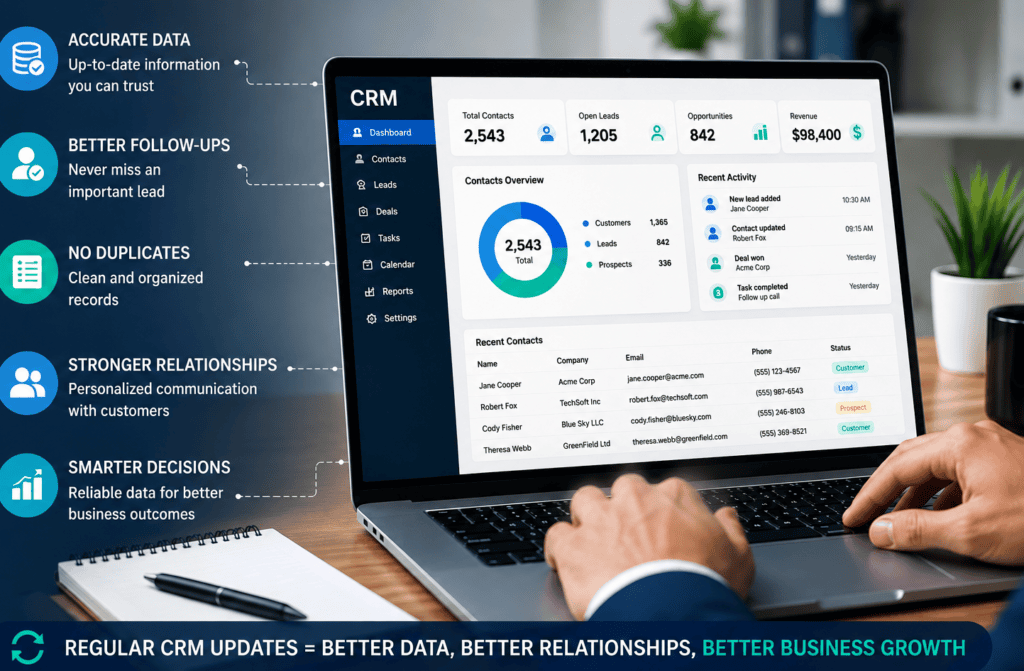
Why Regular CRM Updates Matter
- Keeps Customer Information Accurate
Updated contact information helps sales and customer service teams reach the right people using current details.
2. Helps Sales Teams Follow Up
An organized CRM makes it easier to track leads, previous conversations, and upcoming follow-ups.
Sales representatives can quickly see where a prospect stands instead of searching through outdated records.
3. Reduces Duplicate Records
Duplicate contacts can create confusion and lead to repeated calls or emails. Regular CRM reviews can identify duplicate entries and help maintain a cleaner database.
4. Improves Customer Communication
Accurate records allow businesses to understand previous interactions and communicate with customers more effectively.
Teams can access relevant information without repeatedly asking customers for details they have already provided.
5. Supports Better Business Decisions
CRM information can be used to evaluate sales activity, customer trends, and lead performance.
Clean and updated data makes these insights more reliable.
Common CRM Data Problems
Businesses should regularly check their CRM for:
- Duplicate Contacts
Multiple records for the same person can make customer management difficult.
2. Outdated Information
Old phone numbers, email addresses, or company details can reduce the effectiveness of outreach.
3. Incomplete Records
Missing contact details or lead information can make follow-ups more difficult.
4. Incorrect Lead Status
A lead may still be marked as active even after becoming inactive or converting into a customer.
5. Inconsistent Formatting
Different formats for names, phone numbers, addresses, or company information can make databases
Best Practices for CRM Data Management
Review Records Regularly
Schedule regular CRM reviews to identify outdated and incomplete information.
Remove Duplicate Entries
Check for duplicate contacts and consolidate records where appropriate.
Standardize Information
Use consistent formats for names, phone numbers, addresses, and other important fields.
Update Lead Status
Keep lead stages current so sales teams know which prospects require attention.
Verify Important Information
Where necessary, verify contact and company information before updating CRM records.
When Should You Update Your CRM?
CRM updates should not only happen when a problem is discovered.
Businesses can review their CRM:
- Weekly for active sales data
- Monthly for general database maintenance
- Before major marketing campaigns
- After importing new contact lists
- During CRM migrations
- When customer information changes
The right schedule depends on the size of the database and how frequently information changes.